How do you create an email/mailto link?
<a href="mailto:{{Email Address}}">{{Link Text}}</a>
How do you add a subject to an email/mailto link?
?subject={{Subject Text}}
How do you add a body to an email/mailto link?
&body={{Body Text}}
Choose how you want to receive responses. To your Email or your Phone.
Build an Email or Phone response link with some of the expected information clearly defined and formatted.
Then copy/paste it into your site or email template.
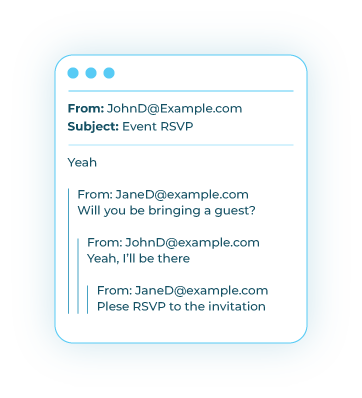
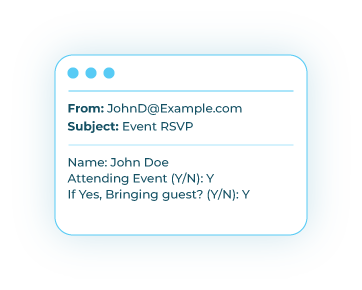
To get clear and easily searchable messages like this:
“Your Name: _______Will you attend the event Y/N: YWill you be with someone else Y/N: N”
Don’t forget to send a copy of the link to your self for future reference!